MAHAGST New PT Payment Link – Step-by-Step Guide
Are you unable to open the old Maharashtra Professional Tax payment page? You are not alone. The Maharashtra GST Department (MAHAGST) has completely redesigned its portal, and the official location for making Profession Tax (PT) Returns & Payments has moved.
🛡️ Safety Verification: Is the New Website Legitimate?
Yes, the change is official.
Many users are concerned because the new website looks completely different from the old one. Some users might fear it is a “phishing” or fake site. However, the Maharashtra GST Department has officially displayed a popup notification confirming the renovation.
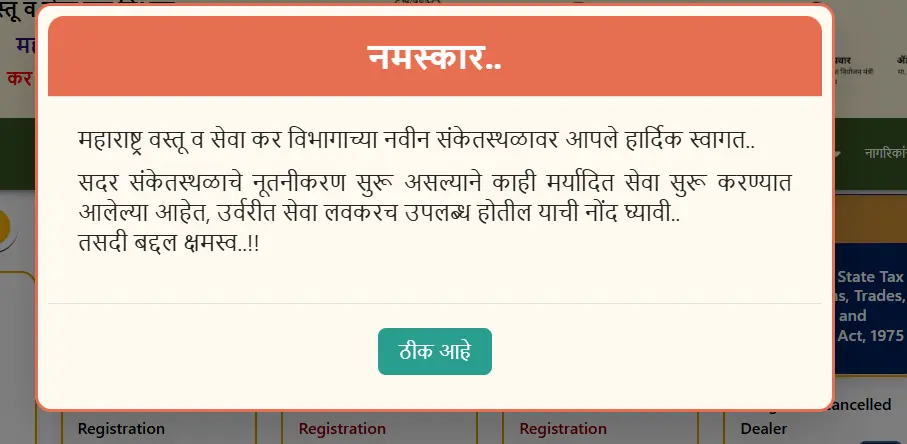
“Hearty welcome to the new website of Maharashtra Goods and Services Tax Department. As the renovation of this website is going on, some limited services have been started… Sorry for the inconvenience.”
To further ensure your safety, always verify the URL before paying:
- Check the Domain: It must end in .gov.in.
- Check the Lock Icon: Ensure the browser shows a secure connection (HTTPS).
Direct Link to New Payment Dashboard:
Go to Mahagst Payment Portal →URL: https://www.mahagst.gov.in/dashboard/return-payment
Visual Guide: The New Payment Interface
When you visit the new link, you will see a clean “Dashboard” style form. It requires you to select your Act and Period before proceeding.
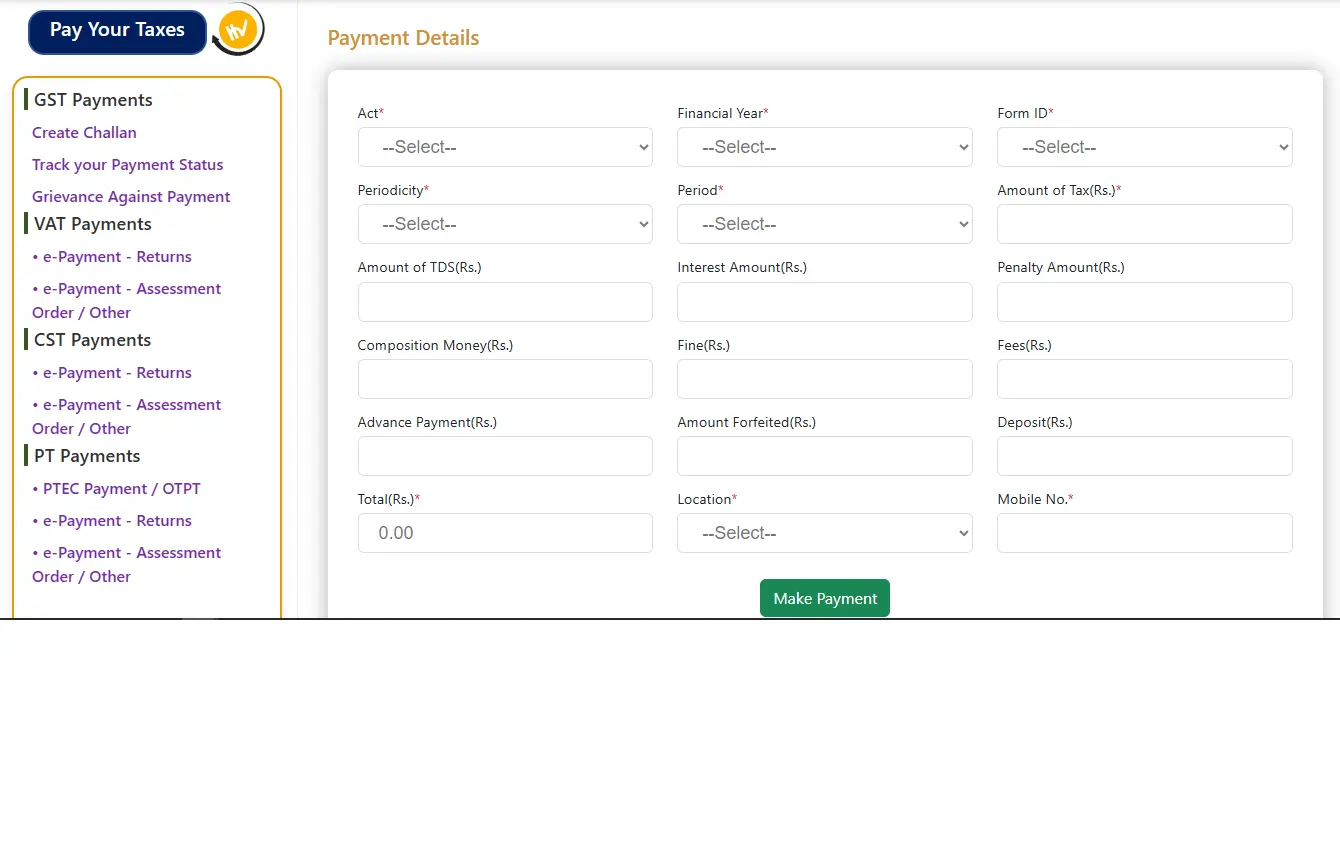
How to Pay Maharashtra Professional Tax Online (New Process)
- Access the Portal: Click the new payment link above.
- Select Act: Choose “PTRC Act” (for employers) or the relevant act from the dropdown.
- Select Financial Year: Choose the current FY (e.g., 2025-2026).
- Form ID: Select the correct challan form ID (e.g., MTR-6).
- Periodicity: Choose Monthly (if liability > ₹1L) or Annual (if liability < ₹1L).
- Enter Amount: Input the tax amount carefully without commas.
- Location: Select your registered circle/location.
- Make Payment: Enter your mobile number and click the green button to generate the challan.
Frequently Asked Questions (FAQ)
The department is renovating the website. Old bookmarks are invalid. You must use the new “Dashboard” based URL provided above.
Yes, as long as the URL starts with mahagst.gov.in, it is the official government portal. The popup message (shown above) confirms the site is under renovation.
Yes. The new form has specific fields for “Interest Amount” and “Penalty Amount” alongside the tax amount.